

Overview
Section titled “Overview”The To-dos widget allows you to present users with personalized, seasonal health tasks that match their individual health profile. Instead of generic advice, users receive actionable next steps—each one tailored to their age, sex, lifestyle, time of year, and item-specific conditions.
The result is a lightweight but powerful way to motivate the user to work proactively on their health. The widget is designed to drive engagement and direct the user to your offering, fully personalized.
What the To-dos widget does
Section titled “What the To-dos widget does”Personalized, preventive tasks
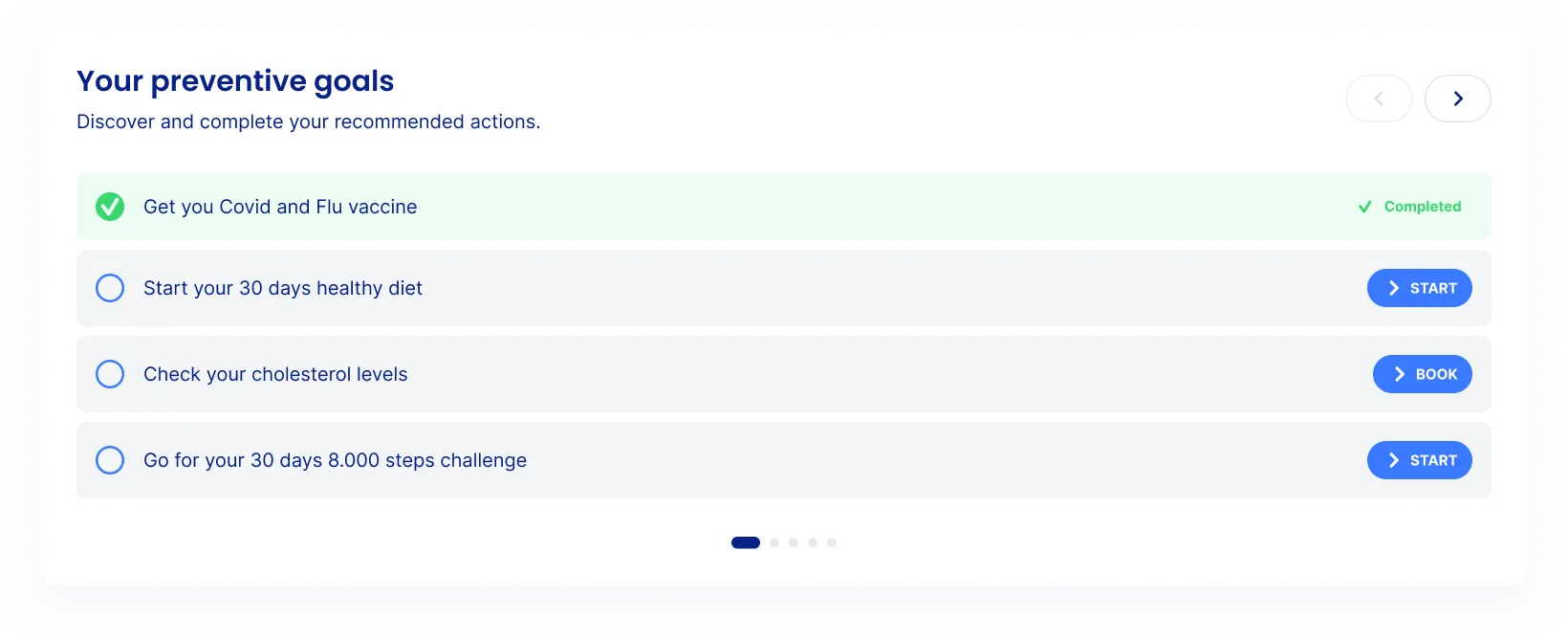
The widget displays a curated list of recommended health actions or tasks, which can be seen as preventive goals. These actions can include anything from booking a service, starting a digital program, reading educational content, or beginning a healthy challenge.
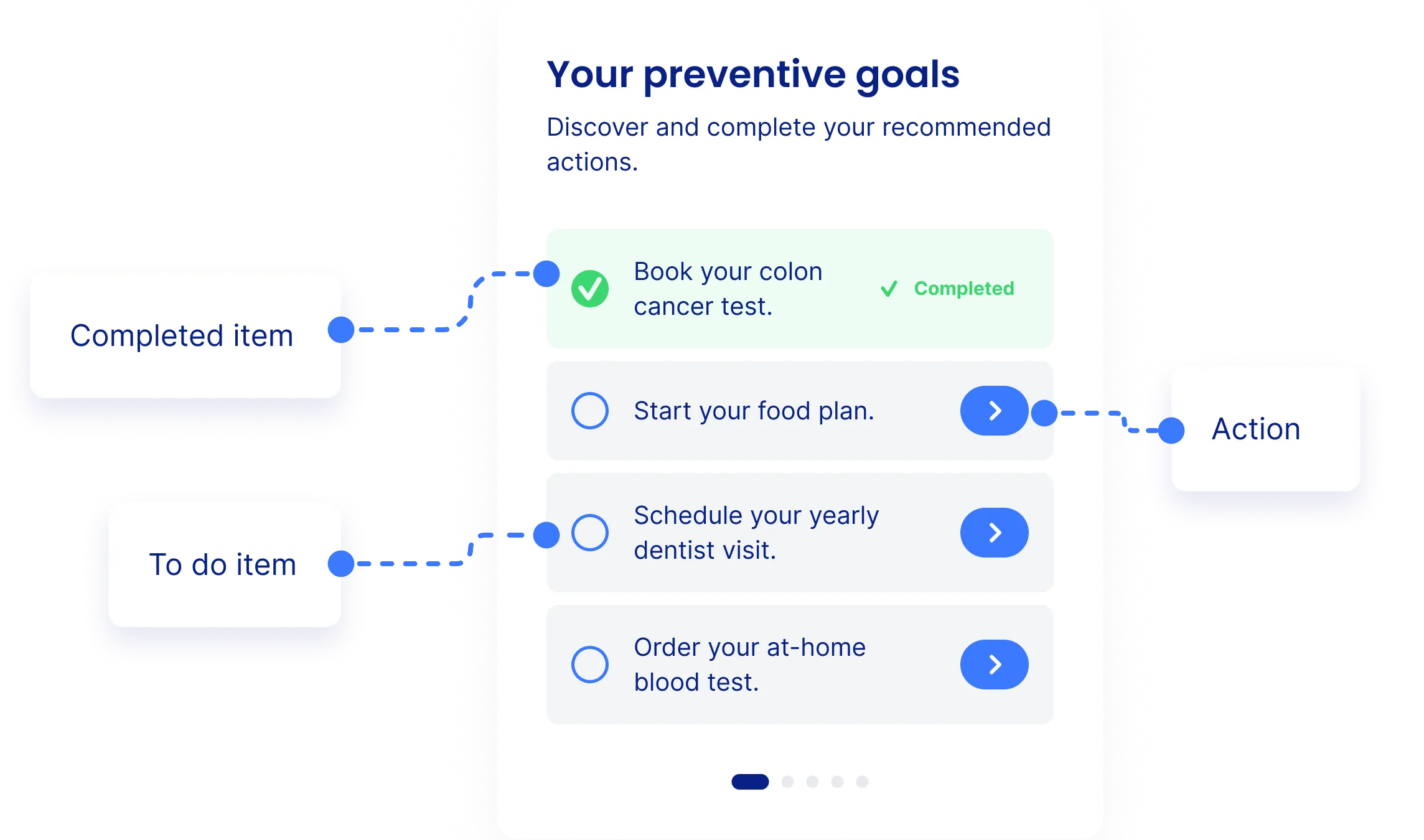
Users can mark tasks as completed once finished. Completed items disappear from the list, and the engine automatically surfaces the next most relevant task. This helps users maintain momentum without feeling overwhelmed.
How personalization works
Section titled “How personalization works”IntelliProve uses a set of inputs to determine the right task at the right time:
- User details: age, sex and BMI
- Item specific rules and context: seasonal timing, priority
- User completion state: completed vs. pending items
Each item is shown only when its conditions are met.
The algorithm adapts dynamically to new measurements or questionnaire inputs. This makes it a powerful tool for boosting engagement, improving adherence and achieving a proactive health lifestyle.
User flow and interaction
Section titled “User flow and interaction”- Assessment completed
The user finishes the IntelliProve health scan and lands on the widget. - Personalized list shown
The widget displays the most relevant set of preventive goals. - User selects a task
Clicking the CTA leads them to your service or content. - Task completion
When marked as completed, the item disappears from the list. - New task is surfaced
The engine reveals the next relevant action.
This creates an ongoing, habit-building loop of small, achievable steps.
Integration
Section titled “Integration”The todo widget is embedded in the same way as other IntelliProve widgets.
Configuration
Section titled “Configuration”You can configure your list of to-do items via the sheet accessible in the IntelliProve admin tool.
For each todo item, you can define:
- Title / short description
A concise explanation of the task (e.g., Schedule your yearly dental visit). - Link
The URL to direct users to book, read, or take action. - Button label
Your call-to-action (e.g., Start, Book, Learn more). - Time range
If this todo item is intended for a specific time of the year, you can specify this. - Additional filters
Specify the inteded sex, age range, etc. this item is intended for.
This lets you highlight internal services, trusted partners, or health programs—while the personalization engine determines who sees what.
No code changes are needed after the initial integration. You can freely add or remove items.
Example use cases
Section titled “Example use cases”Typical partner implementations include:
- Seasonal reminders (e.g., winter vaccines)
- Lifestyle actions (e.g., Start your 30-day food plan)
- Annual check-ups (e.g., Schedule your dentist visit)
- Screening encouragement (e.g., Book your colon cancer test)
- Small daily challenges (e.g., 8,000 steps for 30 days)